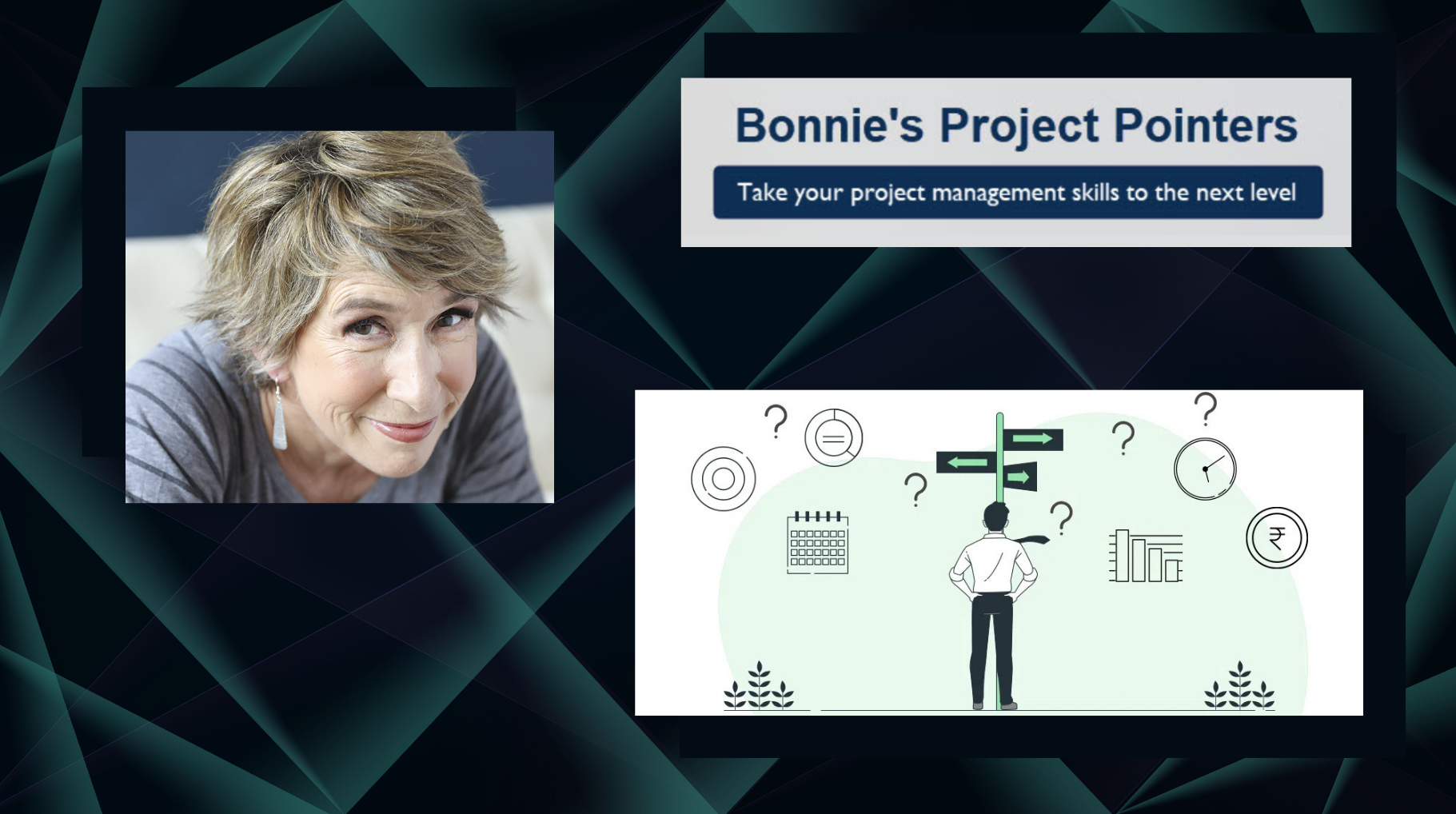
Supporting Sponsor Decision Making

Supporting sponsor decisionsSponsors have to make critical decisions that can affect both the project and the overall business. But not all project sponsors are ready for this responsibility. As a proactive project manager, you can help. Here’s how: 

  • Anticipate when decisions are needed. The more time you give a sponsor to ponder the decisions they need to make, the better. That way, they can tell you the data and help that they need to make a confident decision. And you can develop data collection processes and schedule time to review data to ensure it accurately reflects the project situation. 
  • Sort through facts, intuition, and conjecture. Major decisions often require significant input. To help the sponsor sort through the information they receive: confirm facts, identify when a viewpoint comes from intuition, and when the info shared is someone’s conjecture or assumption. This effort can sometimes help the sponsor confirm assumptions.
  • Identify the sponsor’s preferred data sources. Project sponsors usually have favorite data sources, for example, internal trusted advisors or external entities like consulting companies. It’s good practice to proactively ensure the input from these sources is incorporated into the decision-making process.  
  • Inform the sponsor of the decision pros/cons, including affected stakeholders and business processes. Sponsors might make decisions without fully understanding the impact on all business areas and stakeholders. To address this, it’s best to proactively summarize detailed pros and cons when you present options. That way, your sponsor can use them to make informed decisions.
  • Anticipate decision timing impacts. Tell the sponsor about potential timing factors to consider. For example, delaying a product purchase decision until shortly before accounting year-end might mean a lower price. Conversely, purchasing a product earlier, though more expensive, might allow project staff to spend more time learning how to best deploy the product.
  • Maintain psychological safety.  Project managers should consider what constitutes psychological safety for themselves and then provide the same to their sponsor. That way, the sponsor will probably feel less stress about their decisions. For example, if you disagree with the sponsor, share that information calmly without being judgmental. Share the risks, saying that this information comes from your experience. Unless it is an extreme situation, reassure the sponsor that you will support their decision regardless of the one they make, given they understand the risks.

Do you have an example of how you’ve supported a sponsor’s decision-making? Share with us in the comments.

For more about working with sponsors, check out this Office Hours with Antonio Nieto-Rodriguez.


Coming Up

Whether you’re a manager aiming to lead more effectively or a team member feeling stifled by excessive oversight, this conversation is for you. Join Julie Robinson and I for Office Hours on Tuesday, September 23, 2025 3pm MT, 5 PM ET where we will talk about how to improve performance by reducing or eliminating micro-management.  We’ll discuss how to recognize signs of micro-management, whether you’re dishing it out or receiving it. If you’re a manager, you’ll gain insight into the why of this behavior and what you can do to become a more empowering leader. Team members will discover strategies for regaining autonomy. You’ll come away with a handout from Julie with tools and resources to support lasting change. Click here to join!

_______________________________________

This article belongs to the Bonnie’s Project Pointers newsletter series, which has more than 97,000 subscribers. This newsletter is 100% written by a human (no aliens or AIs involved). If you like this article, you can subscribe to receive notifications when a new article posts.

Want to learn more about the topics I talk about in these newsletters? Watch my courses in the LinkedIn Learning Library and tune into my LinkedIn Office Hours live broadcasts.


_______________________________________

Helpful Info to Get from a Project Data Repository

helpful info from a repositoryA project repository is only as good as the guidance you can pull from it. Beyond the always useful lessons learned, here are examples of helpful information you can extract from a well-designed project data repository.

  • Issue frequency and trends. A list of the most common project issues along with trends of when they occur during the project is helpful for building a proactive and sound project risk plan. Also, the trending data shows where your project methodology might need shoring up.
  • Staffing trends. The history of availability of operational staff for project work and the timeframes for onboarding contracted staff is useful for creating a staffing plan.  Seasonality trends is also helpful. For example, finance staff might not be available the first week of each accounting month, or staff shortages might occur during holiday periods.
  • Vendor performance. When choosing a vendor to augment resources, information on their performance in your environment supports informed strategic staffing decisions. Key metrics include the time from request until resources arrive on site, the consistency of staff staying on site without being replaced with different resources, successful delivery against objectives, and cost.
  • External entity response times. The turnaround from request to response from external entities helps establish reasonable schedules. Examples include licensing or certification confirmation from government entities and the fabrication of custom parts from vendors.
  • Cumulative impacts of change requests. Other helpful data is baseline project duration and cost along with the average effects of change requests on those values. You can judge the business’s volatility and the quality and completeness of the provided requirements, which helps forecast total project cost and timeframe. For example, if change requests historically add 10% to the cost and three months to the duration, you might consider applying those trends to future project budgets.

What other insightful data items have you extracted from project data repositories? Share with us in the comments.


Coming Up

Whether you’re a manager aiming to lead more effectively or a team member feeling stifled by excessive oversight, this conversation is for you. Join Julie Robinson and I for Office Hours on Tuesday, September 23, 2025 3pm MT, 5 PM ET where we will talk about how to improve performance by reducing or eliminating micro-management.  We’ll discuss how to recognize signs of micro-management, whether you’re dishing it out or receiving it. If you’re a manager, you’ll gain insight into the why of this behavior and what you can do to become a more empowering leader. Team members will discover strategies for regaining autonomy. You’ll come away with a handout from Julie with tools and resources to support lasting change. Click here to join!


_______________________________________

This article belongs to the Bonnie’s Project Pointers newsletter series, which has more than 96,000 subscribers. This newsletter is 100% written by a human (no aliens or AIs involved). If you like this article, you can subscribe to receive notifications when a new article posts.

Want to learn more about the topics I talk about in these newsletters? Watch my courses in the LinkedIn Learning Library and tune into my LinkedIn Office Hours live broadcasts.

_______________________________________

Designing an Effective Project Repository

designing a project data repositoryFiling project documentation in a shared folder named “Repository” doesn’t cut it. An effective project repository is designed to maximize value. It can increase foresight and provide valuable information in project deliverables such as the risk plan. Here are the characteristics of a well-designed project repository.

  • Provides information to solve recurring issues. Designers base how they organize and present information in their project repository on specific challenges the organization faces during project delivery and they ensure that the repository holds project data that helps to improve outcomes in future projects. For example:
    • If estimation is difficult, create common names for frequently used tasks so you can track time and risks for those tasks over many projects and improve performance over time.
    • If risk planning is incomplete, compile risks from reported issues and create an initial risk list with response strategies.
    • If contractors are often used, collect detailed performance and cost information by company and by individual consultant.
  • Includes a powerful search function, indexed with commonly used terms. This makes it easier to find data without reviewing extensive lists. Common terms include terms regularly used in the organization’s project management methodology as well as typical industry terms. For example, “project charter” will be used universally for the document to launch a project. “Pour the foundation” might be a common activity description in construction, while “unit testing” might be used for information technology projects.
  • Organized with clearly defined and consistently applied folder hierarchies (i.e., by project phase, document type, activity, or discipline). While a search function allows for specific data reviews, folder hierarchies enable project managers to review multiple project examples. For example, say a project has a task to prep a roadbed before paving. Various approaches for laying the roadbed, the time taken, and the risks that surfaced could be viewed by looking at histories from several projects. Phases allow project managers to review best practices and standards for closing a project, for example. Cataloguing data by discipline allows for the review of multiple procurement plans to determine the best fit for an upcoming project.
  • Managed by an administrator to maintain status, naming standards, and version control with a focus on continuous improvement. A repository must be clean and easy-to-use or project managers won’t use it. When a repository is used regularly, new ideas for data to extract are generated routinely. Administrators can deploy these ideas to add indexing, massage existing data, or collect additional data to satisfy data requests and improve project delivery.

How do you set up your project repository? Share your tips and tricks with us in the comments.


Coming Up

Whether you’re a manager aiming to lead more effectively or a team member feeling stifled by excessive oversight, this conversation is for you. Join Julie Robinson and I for Office Hours on Tuesday, September 23, 2025 3pm MT, 5 PM ET where we will talk about how to improve performance by reducing or eliminating micro-management.  We’ll discuss how to recognize signs of micro-management, whether you’re dishing it out or receiving it. If you’re a manager, you’ll gain insight into the why of this behavior and what you can do to become a more empowering leader. Team members will discover strategies for regaining autonomy. You’ll come away with a handout from Julie with tools and resources to support lasting change. Click here to join!


_______________________________________

This article belongs to the Bonnie’s Project Pointers newsletter series, which has more than 96,000 subscribers. This newsletter is 100% written by a human (no aliens or AIs involved). If you like this article, you can subscribe to receive notifications when a new article posts.

Want to learn more about the topics I talk about in these newsletters? Watch my courses in the LinkedIn Learning Library and tune into my LinkedIn Office Hours live broadcasts.

_______________________________________

Creating an Environment of Accountability

Creating an Environment of AccountabilityImagine how much more you and your team could accomplish if everyone was accountable for the work they do. You can make this dream come true by creating an environment in which team members hold themselves accountable.  Here’s how:

  • Make sure the project scope is worded to clearly convey why the mission matters and ensure team members understand their role in it. Make sure the project scope is clear and that business objectives are understood by all. Team members should understand precisely how their work aligns with the scope. If there is any doubt, review the project documentation with the team member to resolve any misunderstandings about the project scope and their role within it.
  • Provide clear task definitions. Each team member should know exactly what’s required of them and how their work products will be evaluated.  If there is doubt or confusion, consider compiling a WBS Dictionary to clarify any ambiguous tasks. Get team members involved in creating that dictionary, and you will achieve both clarity and ownership.
  • Schedule reasonable delivery timeframes. No matter how meaningful the mission and how clear the task definitions, team members might not be self-accountable if you don’t allocate enough time for their work. 
  • Acknowledge success. Always acknowledge when team members produce a quality product. Don’t wait until they reach a significant milestone or overcome a complex problem. Recognition breeds self-accountability, because team members want to be part of that atmosphere of success.
  • Model the desired behavior. Demonstrate your own accountability to build accountability in your team. The accountability that you demonstrate as a project manager will influence the level of accountability your team demonstrates. If you meet deadlines, fulfill promises, and handle bad news constructively, accountability will prevail throughout your team. By providing psychological safety within your project, your team members can do their best work.

Do you have other ways to create an atmosphere of accountability? Share your thoughts in the comments.


_______________________________________

This article belongs to the Bonnie’s Project Pointers newsletter series, which has more than 96,000 subscribers. This newsletter is 100% written by a human (no aliens or AIs involved). If you like this article, you can subscribe to receive notifications when a new article posts.

Want to learn more about the topics I talk about in these newsletters? Watch my courses in the LinkedIn Learning Library and tune into my LinkedIn Office Hours live broadcasts.
_______________________________________

Project Assumptions: Useful and Those Not So Much

Assessing a new team member graphicAt a project start, there are things you won’t know, so you have to make assumptions. While management considers whether the project business case is worthwhile, practical and reasonable assumptions can make the difference between a project launch and “a good idea, but.” Here are some ways to differentiate useful assumptions from the ones to avoid.

Useful

  • A high probability of being valid. Accurate and easily verified project assumptions are very useful. Example: You assume that a specific contracted skill is available. A call to a trusted vendor can provide informal verification to confirm the accuracy of the assumption. That’s followed up with a formal request. The contract with the vendor later commits to the skill availability. 
  • Enable initial costs to be estimated. Estimates are part of every initial go/no-go decision. Carefully craft assumptions that can support informed financial decisions.  Example: The assumption about a contracted skill should define the role so a vendor query would provide an approximate hourly or daily rate. This approximation would validate the assumption and support estimated costs.
  • Limited in scope. Useful assumptions address a narrow aspect of a project, rather than a broad prediction of project outcome. Example: An assumption about cost for tooling to maintain a new manufacturing line is appropriate. An assumption of the entire cost of a project to build a new manufacturing line isn’t helpful. There are too many elements contributing to the total project cost, making it impossible to predict anything with confidence. 
  • Supported by project histories. Useful assumptions are based on facts. If the time to produce a project deliverable has been consistent in the past, it is low risk to assume that timeframe for a new project. Example: Even when building an entirely new manufacturing line, preparing the floor and power drops for that line might be like past buildouts. So, you can assume the buildout timeframe in the preliminary plans for a new line. If an assumption isn’t supported by history, it’s time to document the risk and use wider ranges for estimates.
  • Stakeholders understand and support the assumption. Stakeholders have to understand and support assumptions when participating in project go/no-go decisions. Additionally, with assumptions related to stakeholder performance, it enables them to help make the assumption a reality. Example: You might assume a key stakeholder’s availability to support project completion within a constrained timeframe. If stakeholders are aware and understand that assumption, they can strive to ensure that the skilled resource is available

Not useful

  • Speculation that can’t be proven without completing the project. Assumptions regarding items such as customer acceptance of a new product, made without surveys or other market research, are pure speculation and carry high risk. You can determine market acceptance only by completing the project and releasing its product. Example: You assume that new electric toenail clippers will be in high-demand without any customer outreach, and launch the project anyway. Note: Innovative product development often proceeds without surveys, because sharing a novel idea with the marketplace early would hurt competitive advantage. These projects are always high-risk, but when the project’s product is broadly accepted (like the iPhone), the rewards can be significant.
  • Opinions are the basis of an assumption. Opinions are often based on gut feelings, not on fact, but they can be expressed with passion. Question proposed assumptions and evaluate whether the accompanying passion hides a lack of factual basis.
  • Based on old or incorrect data. Assumptions based on incomplete or outdated facts aren’t useful. Confirm the facts behind a proposed project assumption! Example: Stakeholders propose that new robotics will increase manufacturing line output by 300%, based on their experience, and want that applied to a new project they proposed. However, that productivity increase is achieved only when one raw material is used, and the new manufacturing line in the current project will require three raw materials. 
  • Require “ideal conditions” to be accurate. Overly optimistic assumptions can mislead stakeholders. Example: There’s an assumption that construction completion can be achieved within 4 months. However, this can be valid only if there are no weather delays, all materials are delivered on time without defects, and none of the construction crew members fall ill.

Review some assumptions from a current or recent project. Find any that meet the not useful criteria. Think about how you might turn them into useful ones.


_______________________________________

This article belongs to the Bonnie’s Project Pointers newsletter series, which has more than 95,000 subscribers. This newsletter is 100% written by a human (no aliens or AIs involved). If you like this article, you can subscribe to receive notifications when a new article posts.

Want to learn more about the topics I talk about in these newsletters? Watch my courses in the LinkedIn Learning Library and tune into my LinkedIn Office Hours live broadcasts.

_______________________________________

Multi-tasking in Meetings

Newsletter Graphic Advice The PM is INDear Bonnie,

Some people constantly multitask in meetings, which disrupts other people’s attention and prevents important information from getting to the audience. Do you have any recommendations to get people to pay attention? 

Thanks,

Can We Focus on our Meetings?!


Dear Can We Focus,

A well-run meeting, focused on a relevant agenda, is the best approach to curb people’s multitasking.

  1. Know what you’re trying to accomplish. Identify why you need a meeting and the desired results (approval, issue resolution, status).
  2. Create an agenda with a list of topics and time estimate to discuss each one. That way you can be sure to cover every item. You can keep discussions on topic. Plus, if the discussion starts to go off track, you can stop the discussion and create an action item to handle the new item offline (or in another meeting).
  3. Limit meeting attendees to who you need to accomplish the meeting goal. The more people in a meeting, the harder it is to get things done on time. 
  4. Schedule the meeting for when it works for attendees and send the meeting invitation and materials ahead of time. That way, attendees have a chance to prepare. (They might not read beforehand, so be prepared for a quick review.) 
  5. Start meetings on time, even if some attendees are missing. Don’t backtrack when people show up late. That just reinforces their rude behavior. (They can read the meeting notes to catch up on what they missed.) If a key decision-maker is missing, reschedule the meeting rather than sit and wait.
  6. If possible, have someone facilitate the meeting to keep everyone focused.  The facilitator explains the purpose of the meeting, topics, attendees, and ground rules for interaction. The facilitator can coax quiet people to participate or wrangle the discussion back on topic.
  7. Take good meeting notes (or use an AI tool to create them). Be sure to document decisions, action items, and who’s responsible for them. Distribute the notes to attendees and (up) anyone else who needs to know.

Establishing a standard of behavior in meetings promotes better outcomes. You get what you tolerate. Unless different standards are set, meetings won’t get any better.

Here are a couple of strategies for meeting behavior. Have everyone put their phones in a basket, so they won’t be distracted. To make sure everyone is paying attention, assign a task to each person during the meeting. If they can’t recite that to-do at the end of the meeting, assess a fine like buying coffee next time or make them wear a silly hat.

Effective meetings will help keep people from multitasking. You’ll get more done, and you might win some fans. Give yourself a head start. Create a checklist of things to do before you hold a meeting.

For more about effective meetings, check out Dave Crenshaw’s Leading Productive Meetings course.


_______________________________________

This article belongs to the Bonnie’s Project Pointers newsletter series, which has more than 95,000 subscribers. This newsletter is 100% written by a human (no aliens or AIs involved). If you like this article, you can subscribe to receive notifications when a new article posts.

Want to learn more about the topics I talk about in these newsletters? Watch my courses in the LinkedIn Learning Library and tune into my LinkedIn Office Hours live broadcasts.
_______________________________________

A Learning environment for Continuous Project Improvement

Learning environment for Continuous Project Improvement graphicHigh-performing project teams embrace continuous improvement. And continuous learning is the core of that mindset. Here are tips for developing a learning environment in a project that enables continuous improvement and long-term performance.

  • Allow for experimentation. New tools and approaches can produce significant changes but deploying them can be a challenge. You can get better performance and improved business results when you allow project team members to experiment without excessive deadline pressure. This is easier said than done. You have to include time for experimentation into your plans and then defend those plans with key stakeholders. Note: To gain approval, discuss the potential for significant improvements and also create alternate plans in case the team’s experimentation doesn’t work out.
  • Focus on “what did we learn?” rather than blame. Setbacks occur in every project. To enable learning, focus on what led to the setback, rather than who was at fault. Identify training and processes that could help avoid setbacks, or look for ways to learn from them. This positive approach embraces what makes learning organizations productive.
  • Make mentoring a high priority. In learning organizations, leaders support project team members by sharing their background and experience. Pair team members and leaders carefully to maximize the value the team member gains from the interaction. Schedule meetings regularly and follow through with those meetings. Don’t treat them as a “when time is available” exercise. 
  • Offer plenty of formal and informal training opportunities and don’t create time constraints. Make sure that training opportunities are available. Build them into project schedules, so taking a course doesn’t put team members under time pressure to deliver their project tasks. Provide training in many forms, including lunch and learns, accredited training courses, and online tutorials, to maximize their availability and applicability. Note: Not all training needs to relate directly to the team member’s current project. Learning organizations take a longer-term approach to expanding team member skills. That way, they can increase their capabilities for current and future projects.
  • Maintain an organized, formally administered project data repository. Learning from past projects is key. Learning is sporadic at best without an efficient way to reference historical project data. Have an administrator collect lessons learned, categorize them, and provide guidance for finding and retrieving information.

Many project managers won’t have the authority to deploy all these approaches. You can adopt some of them.  For example, you can probably create a lessons learned repository, ask leaders to spend time with a promising team member, mentor team members yourself, and hold your own lunch and learn meetings. 

Take stock of your project environment and see where you can fit in more learning. Gauge your authority and perhaps push the envelope a bit with your project sponsor.


_______________________________________

This article belongs to the Bonnie’s Project Pointers newsletter series, which has more than 95,000 subscribers. This newsletter is 100% written by a human (no aliens or AIs involved). If you like this article, you can subscribe to receive notifications when a new article posts.

Want to learn more about the topics I talk about in these newsletters? Watch my courses in the LinkedIn Learning Library and tune into my LinkedIn Office Hours live broadcasts.

_______________________________________

I Used Project Management to Get Through a Personal Crisis

PM for a Personal CrisisIn April (2025) I learned that pathology from surgery showed stray carcinoma cancer cells in my body. After the shock wore off, the project manager in me took charge. Now that this ordeal is over, I can’t imagine handling it without project management. Here are some things I did to make it through.

  • What is the goal? I’ve said many times that the project goal is crucial. My goal isn’t to overcome cancer cells. I delegated that to my doctors. The goal has been to get through the treatment as comfortably as possible while also managing the rest of my life.
  • Understand the project. Cancer treatment has a lot of moving pieces. In my first appointment with the chemo oncologist, he handed me a packet with at least 80 pages of information about the treatment, side effects (and how to handle them), things to do, things to not do, what to eat and not eat, and so on. I read the entire packet – twice – and then created my own document to organize and highlight what I needed to know to succeed along with all the questions I had.
  • Confirming the requirements. Part of the pre-treatment was reviewing the information with a nurse. I was able to ask my questions, jot down more notes, and then update my home-made treatment document.
  • What are the risks? This project has been annoying in so many ways, but mainly because I am a planner and cancer treatment has a gazillion unknowns. What side effects will I get? How bad will they be? When will they happen? Will I be able to drive to treatment or will I need help? What should I have on hand? 
  • Risk response strategies: A, B, C. With so many unknowns, you might think there is no way to plan. In fact, my plan was a set of risk response strategies depending on what I might face. First, I bought supplies and food (resources!) recommended for dealing with side effects. Then, I scheduled friends (more resources!) to drive me to treatment the first week. And if I felt so bad that I couldn’t handle the 35-minute drive to treatment, I would get a room near the hospital. This was an iterative project. I stopped there to see how I was at the end of that week.
  • Communication.
    • Confirm details: If someone on the medical team told me something that differed from what the doctor or other provider had told me previously, I spoke up to say that was not what I had been told. If necessary, I would push back and ask them to confirm what was correct before proceeding. (In every case, I was correct to question the discrepancy.)
    • Ask questions: I called the doctor’s office when I had issues and major questions. I wrote up points to make, details about status, and questions, so I wouldn’t forget anything.
    • Don’t back down on important issues: Unfortunately, my two big issues happened on the first and then second weekend. That meant I had to get through the difficulties of getting support outside of normal work hours. I did not take no for an answer until I was able to speak to a doctor.
    • Streamline communication: I knew from experience that I did not have the bandwidth to communicate with my friends individually. I created an email group and a smaller text group to update people on my progress and to ask for help when I needed it. If anyone got impatient and emailed or texted to ask how I was, I would not respond to them directly but would send an update to the group when I was able.
  • Get advice on big decisions. My second big issue was life-threatening. I was in the hospital for almost 4 days. (That could be a whole separate article.) This issue required revisiting my treatment plan – digesting information and making a significant decision to change the second round of chemo. I asked a good friend to attend the meeting. The oncologist ran through all the possibilities with pros and cons of each. He said I couldn’t take another full round of chemo, but there were 5 other options. A lot of information and my head was spinning. My friend asked several questions, which prompted a good discussion and got my brain back in gear. After the meeting, she and I compared notes to make sure I didn’t miss anything.
  • Ask for help. I’m rather independent and take care of myself. Ask anyone who knows me. But I learned a long time ago to ask for help when I need it. Asking doesn’t make you weak: it shows you’re strong. Asking doesn’t mean you’re incapable: it means you’re smart. Asking means you are proactively choosing the best path to success.
  • Celebrate small wins. The course of treatment was grueling, although I know that it was minor compared to what other people go through. At the 4-week mark, I was ready to be done. So, I looked for small wins to celebrate, to motivate me to hang in there: when I disconnected the pump when chemo was done, when the PICC line was removed. I counted down the number of radiation treatments to go. I reminded myself how quickly time passes, especially when it seems to move slowly when things suck. I booked a couple trips and planned fun things to do when I was done.
  • Stay positive. I had plans. I had a good team. I had support. I focused on what was good. Even after my bad bouts, I acknowledged that I bounced back quickly. I had some moments of negativity. When those occurred, I thought about everything that went well. If I was really negative, I would reach out to a good friend to talk it through.
    • Staying positive doesn’t mean pretending everything is fine. It’s more like lessons learned: focus on what went well and do more of that, what could be done better and adjust the plan, what went wrong and figure out how to correct that in the future. For example, I was concerned about a second life-threatening episode on a holiday weekend, so I spoke to the oncologist’s nurse. I learned that one of their locations had regular hours on the weekend and could provide the injections I needed if necessary. Fortunately, I didn’t need to go there because our adjusted treatment plan worked well.

I hope you find this real-world example helpful. If you’ve used project management to get through things in your life, I’d love to hear about it.


_______________________________________

This article belongs to the Bonnie’s Project Pointers newsletter series, which has more than 94,000 subscribers. This newsletter is 100% written by a human (no aliens or AIs involved). If you like this article, you can subscribe to receive notifications when a new article posts.

Want to learn more about the topics I talk about in these newsletters? Watch my courses in the LinkedIn Learning Library and tune into my LinkedIn Office Hours live broadcasts.

_______________________________________

Setting Appropriate Traffic Light Thresholds

Setting Appropriate Traffic Light Thresholds graphicProject reporting often uses traffic light indicators (green-yellow-red) to present status. The colors usually represent variance of actuals from the baseline plan. This article describes how to associate percentage ranges with traffic light colors for several project conditions.

Quick refresher on traffic light status: Green means all is well. Yellow indicates caution. And red is danger, danger! Green might be less than 2% over schedule. 2% to 5% over schedule is yellow. And greater than 5% over schedule is red. 

Here are ways to set traffic light indicator ranges for different purposes.

  • The priority of the triple constraints. Each project will prioritize the standard constraints of cost, time, and scope. If you must make changes to meet a government legal compliance mandate, time and scope will be critical to avoid legal penalties. In a market where the organization needs to stay ahead of the competition, scope might be a top priority, so the product stays best-in-class. If delivering a project for a client on a fixed-fee basis, cost can become the highest priority. For example, if there’s a penalty for missing a compliance deadline, you would set up a traffic light indicator for schedule variance with a low percentage for red, such as greater than 2%. 
  • The consequences of missing critical constraint targets. The time and scope percentages could be broad (5% to 10%, for example) if the organization only pays a $10 penalty for a missed legal compliance mandate. On the other hand, with a $10 million penalty for a missed government deadline, the time and scope percentages should be narrow (0% to 1%), because you don’t want to miss that deadline. The red light comes on with the smallest slip in schedule, so you have early warning to work on getting the project back on track.
  • The team’s familiarity with the tools and processes they use. When the project team is familiar with the context and tools they will use, narrow traffic light percentages are reasonable, because the risk of delays from unfamiliarity is low. However, you must factor in the learning curve when new tools or processes are being developed. With unfamiliar new tools and processes, broader percentages are appropriate because the team might spend more time experimenting or back-tracking. Because narrow percentage ranges convey confidence in the estimates, you want broad ranges in this situation, so stakeholders recognize the uncertainty within the project. The broad ranges (5% to 10%) indicate that things might change.
  • Industry standards and expectations. Specific industries have generally accepted variances for project constraints. For example, the construction industry utilizes variances to accommodate unpredictable weather patterns (up to 15% in many cases). Manufacturing, which is much more controlled and predictable, often sets percentage ranges no greater than 5%.
  • Stakeholder expectations. Organizational history and strategy elements may dictate stricter compliance to constraints, and thus narrower percentage ranges. Alternatively, plan to hold up-front discussions if percentages are broader than usual to explain the rationale for the variance range.

If you use traffic light indicators on your projects, consider whether you would adjust the variance ranges due to the preceding conditions. And think about other conditions that might affect the ranges you choose.


_______________________________________

This article belongs to the Bonnie’s Project Pointers newsletter series, which has more than 94,000 subscribers. This newsletter is 100% written by a human (no aliens or AIs involved). If you like this article, you can subscribe to receive notifications when a new article posts.

Want to learn more about the topics I talk about in these newsletters? Watch my courses in the LinkedIn Learning Library and tune into my LinkedIn Office Hours live broadcasts.
_______________________________________

The Estimation Accuracy Plan: Making Estimates Less Controversial

The Estimation Accuracy PlanEstimating is the bane of a project manager’s existence, because people’s (especially management’s) expectations for estimation accuracy are out of touch with reality. Project managers are expected to produce estimates with little project information and then are challenged when they change their estimates. Bob McGannon and I discussed an approach that makes estimating less controversial with an added benefit of educating management and team members on the realities of estimating.

First, consider a Stage Gate Plan, which triggers a review of a project’s viability when project milestones are reached (for example, completing requirements collection, preliminary planning, and detailed planning). This is a start, but not ideal. Detailed costs that weren’t initially discussed in a waterfall project environment are usually added, drawing scrutiny and challenges. In addition, a Stage Gate Plan isn’t relevant in an Agile project environment. So, what to do?

Voilà: the Estimation Accuracy Plan.

When starting a project, a lack of hard data makes project estimation nothing more than a somewhat refined, educated guess. An Estimation Accuracy Plan is a concise plan that spells out how the estimation process really works. It highlights milestone events when estimation accuracy will increase. For example, in a waterfall project, milestones might include finalized staffing, completed detailed planning, completed competitive bid process, or completed soil analysis before a building foundation is constructed.

The Estimation Accuracy Plan can be applied in an agile environment by building it around features and the priority list. When additional equipment, staffing, or other costs are needed to complete a feature, those costs will be determined, and the overall project estimate can be updated. That way, management can consider the costs and reprioritize features if project expenses become a problem.

This type of plan provides many benefits:

  • Shows how much guesswork is part of an initial project estimate and how much project personnel don’t know when submitting an initial estimate.
  • Clearly identifies incomplete events that allow for refining estimates.
  • Indicates how estimation accuracy progresses over the life of a project. It reminds (or educates) management that estimation isn’t scientific. This plan identifies what will be learned or discovered as the project progresses, and how and when estimation accuracy will increase.
  • Demonstrates the financial risk of launching and continuing the project. The estimated cost needed to reach the next estimation milestone is usually well known, so the business can assess the risk of continuing the project beyond the next cost milestone. For example, if three people will work one month to create a detailed plan, the cost to reach that milestone is known. Once the plan is completed, you will have information that helps refine the overall estimate. If a competitive bid process is required for that detailed plan, the cost of conducting the bid is known. The bids submitted from the competitive bid process are still guesswork. The overall project estimate can be refined once the bid process is complete and the costs from the final contract are determined.
  • Shows the impact of resourcing and procurement. This plan shows management the variability of major elements in the project’s lifecycle before any significant project spending occurs. It demonstrates the impact of decisions on resourcing, contracting, procurement, and other elements that significantly impact project costs.

Note: When an agile team’s size and sprint times are fixed, the spend rate and costs are easy to calculate. (The cost of team personnel per day multiplied by days worked.) However, when other costs such as vendors, equipment, certifications, or other items affect an agile project, an Estimation Accuracy Plan helps address the same problems that arise in waterfall estimating.

Sample Estimation Accuracy Plan for a Waterfall Project:

  • Initial estimate – 4 October 2026
  • Vendor personnel rates finalized – 15 October 2026
  • Preliminary plan completed – 29 October 2026
  • Detailed plan completed – 19 November 2026
  • Competitive bid process completed – 9 December 2026

Sample Estimation Accuracy Plan for an Agile Project:

  • Initial envision and speculate stages complete – Staffing determined – 21 January 2026
  • Prioritized feature list completed – 28 January 2026
  • Hardware integration feature sprint (4th sprint) – 25 March 2026
  • Server configuration feature sprint (6th sprint) – 22 April 2026

Note: A re-prioritization of features occurs at the end of each sprint, so the sprint numbers, dates, and therefore the overall project estimate refinement schedule will change if those feature dates change.

We would love to hear your thoughts about using an estimation accuracy plan. Add your thoughts in the comments section.

For more about estimating, check out my Project Management Foundations: Schedules course.


Coming Up

#2 popular course smallMy course Project Management Foundations has been updated with several text-based entries in the Table of Contents. You can read up on the hybrid project management lifecycle, get tips on creating a project information system, review a checklist for effective meetings, and more.

_______________________________________

This article belongs to the Bonnie’s Project Pointers newsletter series, which has more than 92,000 subscribers. This newsletter is 100% written by a human (no aliens or AIs involved). If you like this article, you can subscribe to receive notifications when a new article posts.

Want to learn more about the topics I talk about in these newsletters? Watch my courses in the LinkedIn Learning Library and tune into my LinkedIn Office Hours live broadcasts.

_______________________________________